
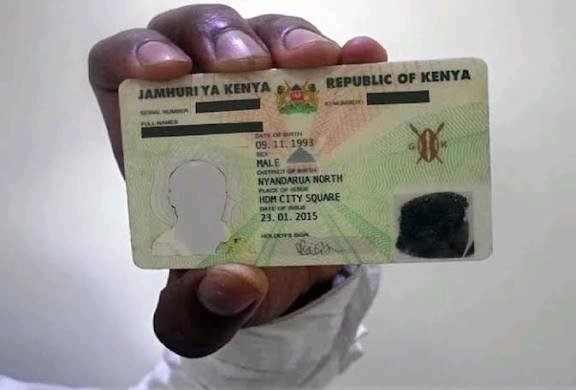
In Kenya, an ID (Identity Card) is mandatory for citizens 18 and older, managed by the National Registration Bureau (NRB) via Huduma Centers/CC offices, with the new system introducing the lifelong Maisha Namba (UPI) and the Maisha Card, a digital ID linked to eCitizen for seamless government service access education, health, tax.
Requirements for first-timers include Birth Certificate, parents’ IDs, photos, and forms, with the process involving biometric capture fingerprints, photo and a fee sometimes waived.
With the rising cases of identity theft and phone theft it is very important for one to be able to check whether their identity cards have been used to register sim cards. Luckily, mobile phone users can now be able to check which phone numbers are registered using their ID number.
They can do this by just dialing USSD Code *106# on any mobile line in Kenya to able to identify any mobile phone numbers registered by their ID number.
How to check phone numbers registered under your name
1. Dial *106#
2. Select Check my numbers Option
With Safaricom, the message with numbers registered using your ID will pop immediately. With Airtel, you will have to enter your ID or Passport number then wait for a confirmation message.
3.Enter your National ID number when prompted.
You’ll receive an instant SMS or on-screen list of all Safaricom numbers registered to your ID.